
 Firefox only: Google has just released Page Speed, a website performance tool for Firefox/Firebug that is similar to the previously covered Yahoo YSlow add-on. Google has made it clear that speed is one of their highest priorities for modern-day internet, and Page Speed is their attempt at getting web developers personally involved in the process.
Page Speed is an open source tool that that allows web developers to evaluate the performance of their web pages and receive suggestions on how to improve them. Page Speed runs several tests on a website’s server configuration and front-end code, providing web developers with a score for each page and suggestions for improving performance.
Google’s hopes are that if individual web developers improve their site’s performance, users will be more engaged, bandwidth will be reduced, and the internet as a whole will be improved. Google has outlined a list of web performance best practices, which details techniques such as caching, minimizing page size, and optimizing browser rendering.
Installing Page Speed
- Install Firebug (required to run Page Speed).
- Install Page Speed.
- Restart Firefox.
Testing A Page’s Performance
- Go to Tools > Firebug > Open Firebug.

- In the Firebug Window, click the Page Speed Tab.
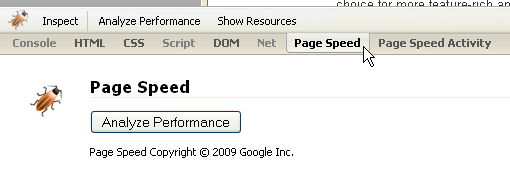
- Navigate to the website you want to test. Wait until the page has fully loaded before proceeding.
- Click Analyze Performance.
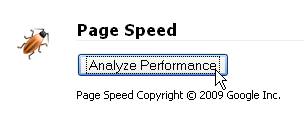
After a page has been analyzed, you will be given a detailed list of performance best practices and the page’s individual score for each category (sorted by importance). Clicking any of these rules will provide you with suggestions for improving that specific area.

While Page Speed is not as robust as YSlow in this initial release, it makes up for that with performance standards designed by the company that makes some of the web’s most efficient sites.
For more information about Page Speed and web performance best practices, check out Google’s guide. Page Speed is a free add-on for Firefox. [Google Page Speed]
Leave a Reply
You must be logged in to post a comment.