

While we’re generally protective of our wallets/purses (none of us would be caught dead leaving a wallet or purse unattended for more than a few minutes), we’re much more careless about another item we carry with that contains a great deal of personal information – our mobile phones.
Before the advent of smartphones, losing your phone just meant somebody could call your mom and text dirty things to your friends. Not anymore- with modern phones, a person can now typically access your social networks, emails, bank accounts – everything. Is that something you’re willing to risk to a random passerby at a restaurant or bar?
One easy way to keep your personal information secure is to protect your phone with a password or PIN. In this guide, I’ll show you how to do this with an iPhone (and iPod Touch), BlackBerry, and Android-based mobile phone.
 iPhone and iPod Touch
- Open Settings.
- Touch General.
- Enable Auto-Lock. The shorter the delay, the more secure your phone will be.
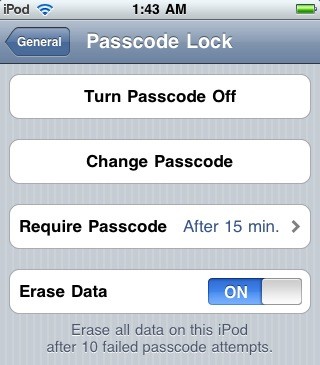
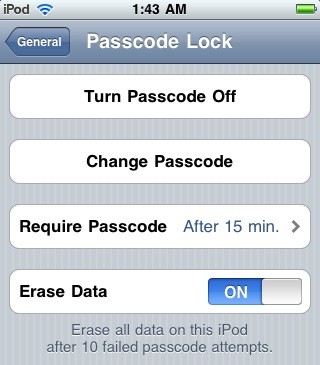
- Scroll down and enable Passcode Lock. You then need to create a 4-digit PIN number to unlock your device.
- (Optional) You can set your device to require a passcode after a certain amount of time has passed by touching the Require Passcode button. Longer times make the device less secure, but it can save you from having to enter your passcode every time you turn on the device. I recommend a maximum delay of 15 minutes.
- (Even more optional) If you really want to be secure, you can set the device to erase all data after 10 failed login attempts by enabling the Erase Data button.
 Android OS (2.0)

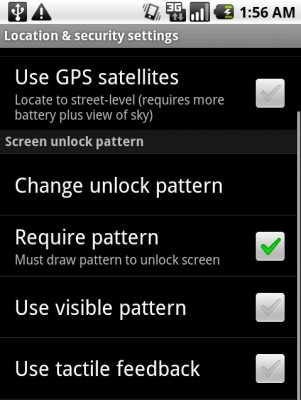
- Open Settings.
- Touch Location and Security.
- Enable Require pattern.
Unfortunately, the standard Android OS doesn’t allow you to specify a delay before the passcode is required – but no worries, the Android Market saves the day. You can purchase an app called AutoLock from the Android Market ($0.99) which allows you to set a delay before the passcode is required.
AutoLock also integrates with the Locale app which can set your phone to automatically lock based on the time of day or your GPS location.
BlackBerry
- On the Home screen, click the Options icon.
- Click Security Options.
- Click General Settings.
Note: If you are running BlackBerry Software version 4.0.2 or earlier, click Options and then Security.
Note: If you are running BlackBerry Software version 4.6 or later, click Options and then Password. - Change the Password field to Enabled.
- Display the menu and click Save.
- Type the new password and click Enter.
- Type the new password again and click Enter.
To enable a delay before the password is required on your BlackBerry:
- On the Home screen of the BlackBerry smartphone, click the Options icon.
- Click Security Options.
- Click General Settings.
- Set the value in the Security Timeout field to the amount of inactive time the phone is permitted before it is locked automatically.
- Display the menu and click Save.
Conclusion
Following these tips should greatly increase your security and privacy in the event that your mobile phone is stolen or misplaced. Have any other tips for protecting your mobile phone, or password protection for different phones? Share them with us in the comments!
Leave a Reply
You must be logged in to post a comment.