
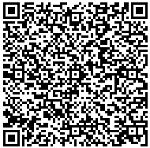
 I was recently introduced to QR Codes, which are a type of two-dimensional barcode that can store large amounts of information encrypted in a graphic. This graphic can be scanned by devices like cell phones to quickly retrieve the data, so it’s great for sharing contact information, text, or URLs.
Scanning QR Codes with your mobile phone
There are several QR Code apps available for mobile phones, but most of you will be interested in:
- Barcodes for iPhone
- Barcode Scanner for Android-based phones (search for “Barcode Scanner” in the Android Market or check out the developer site)
- NeoReader for BlackBerry
Functionality for these applications is about the same – open the application and use your phone’s camera to scan the barcode. I’m using Barcode Scanner for Android in this guide, and it gives you different options depending on the type of barcode you’ve scanned (so if you scan an email address it lets you send an email to that address or add it to your address book).
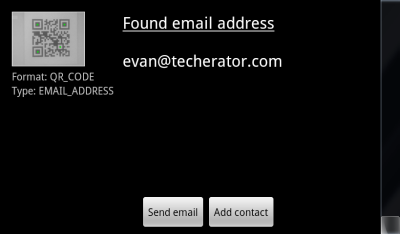 If your phone doesn’t have an application for scanning QR Codes, you can use the simple ZXing Online Decoder to scan a URL or upload an image.
Creating your own QR Codes
If you want to create your own QR Codes, check out the QR Code Generator. This site lets you create codes for calendar events, contact information, email addresses, phone numbers, URLs, SMS messages, text strings, and even geographic locations. All you have to do is fill out the form, choose the size of your image, and click the Generate button.
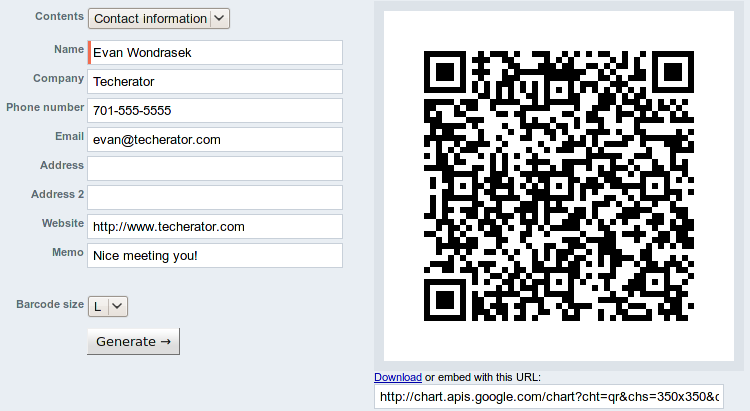
QR Codes are a great way to quickly share data and I think we’ll see a lot of these popping up on business cards in the future. Know of some good QR Code scanning software? Share it with us in the comments!



Leave a Reply
You must be logged in to post a comment.