
 As a quick follow-up to my previous article about installing Flash player without installing Adobe’s DLM browser plugin, I’ll cover how to avoid installing this unnecessary intermediary software when installing Adobe Reader.
If you didn’t read my previous article, here’s what you need to know:
- Adobe DLM is a “download manager” plugin that is installed in your browser by default when trying to install some Adobe products such as Flash player and Reader. This software simply performs the download (just like your browser normally would), and has no real added benefit.
- These products will run just the same whether you use Adobe DLM to download them or use the standard installer directly.
- The standard installer is not the default method to install these products, so you’ll want to follow this procedure whenever installing Adobe products to avoid extra software.
Update 10/6/2010
As noted in the comments, Adobe has now changed their website so the Reader installer is even harder to find. By default, you are now required to download Adobe DLM, then cancel the download, click a secondary link, then remove Adobe DLM.
Not fun, right? Don’t worry, here’s the solution:
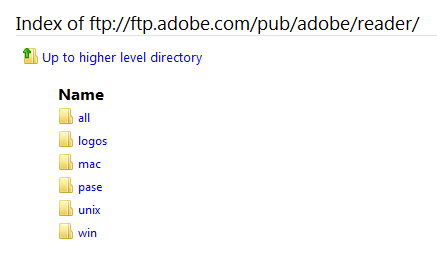
Step 1: Open Adobe’s FTP server in your browser and select your operating system (“win”, “mac”, or “unix”).
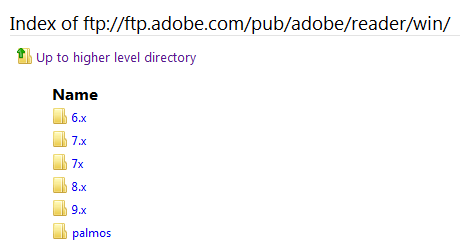
 Step 2: Select the most recent core version of the software. In my case, this was “9.x”.
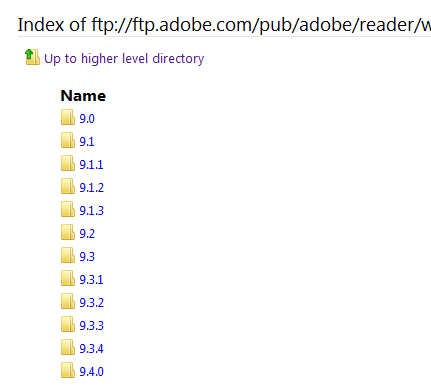
 Step 3: Select the newest version listed again. In my case, this was “9.4.0”.
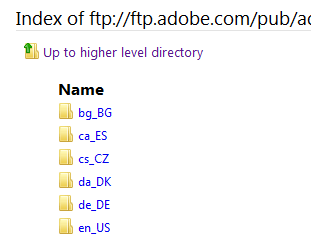
 Step 4: Select your language from the list. United States English is “en_US”.
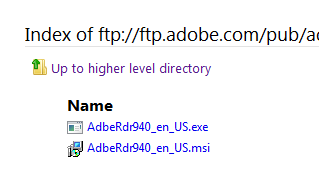
 Step 5: Download the .exe installer and install Adobe Reader as usual. That’s it, you’re done!
Removing Adobe DLM
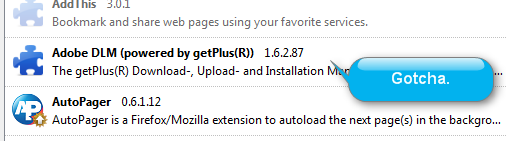
If you’re using Firefox and have installed Adobe products in the past, you can check to see if Adobe DLM was installed by going to Tools –> Add-ons and locating it in the list. From this menu it can be disabled and/or removed.


Leave a Reply
You must be logged in to post a comment.