
Category: Windows
-
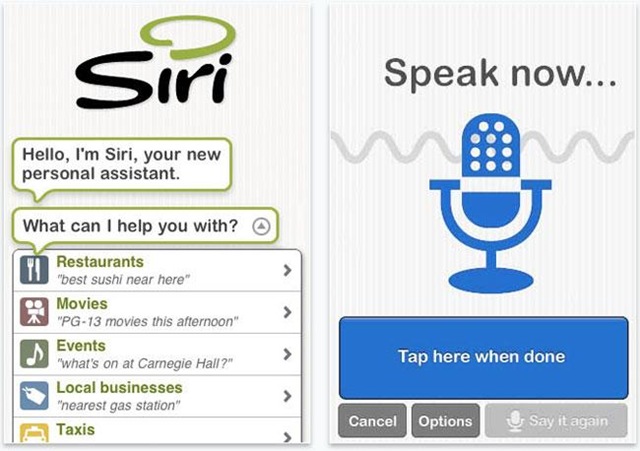
The rise of personal assistant apps
Mobile personal assistants like Siri and Google Now have changed the capabilities of our mobile devices. They have allowed us to experience the web in a new way by simplifying how we organize our contacts, meetings, travel and even personal information. While these two assistants are probably the most popular, they are not the only…
-
Game review: Jamestown, an arcade shooter for the modern age
The recent explosion of indie game development has produced a ton of amazing games and has revived several older game styles like the side-scrolling platformer (VVVVV and Braid being good examples). Unfortunately, those of us who were fans of arcade shooters like R-Type and Raiden have been left mostly in the cold. Jamestown:Legend of the…
-
Review: Steed, an attractive file transfer client for Windows
Utilities like text editors and FTP clients may not scream “sexy!”, but for us geeks who perform actual work with our computers, they’re critical tools. Unfortunately, these tools get so entrenched and build such strongly opinionated followings (people still use vi, for Pete’s sake!) that few developers try to build new, better tools. A brave…
-
How to rip DVDs to your iPad
Watching movies or TV episodes is probably one of the top things most people do with the iPad. You can rent or purchase movies through iTunes, but what if you want to watch a DVD on your iPad that you already own? You can convert your existing movies into a file format that is iPad friendly.There…
-
Top 5 Free Antivirus Software for Windows
Antivirus software provides essential protection for your PC from virus, trojan, spyware, worm, adware, root kit and key logger infections. One of these nasty infections could expose key personal information or stop your computer from working. As powerful as the web is, it is also a very dangerous place. However, installing antivirus software does not…
-
Why I think businesses will ignore Windows 8
Let’s get one thing straight from the beginning; I’m no Microsoft hater. I’ve designed networks around Windows for many years and happily supported them. I have many client companies going about their business with no Apple products or Linux boxes in sight. But, I’m going to stick my neck out on one thing: I think…
-

Seattle shoppers preview Edibly, Bing’s latest mobile shopping app
Microsoft’s Bing has launched ‘Edibly’ for iPhone which will be available in the App Store despite the probable protests from Windows Phone users who feel that the app is exclusively for their platform. The application allows users to browse the Pike Place Market from the portable comfort of their handheld gadgets. Backing up the move,…
-
Don’t look now, but here comes the Windows Surface tablet
The image above is smartphone photography in its truest form; taken this month at the official Microsoft Store at the Mall of America (across the walkway from the Apple Store), this sign heralds the next big step for the software/hardware giant. Indeed, the Surface tablet by Microsoft is arriving in stores this Friday, October 26th, 2012.…
-
Microsoft Office for iOS and Android has finally been confirmed for a March 2013 release
Microsoft Office is finally coming to an iOS and Android operating system near you. Mobile phone and tablet users have patiently waited and hoped for Microsoft to release an app version of their pervasive software. There have been rumors and stories claiming Microsoft Office was coming to mobile/tablet devices for years, but the wait is…
-
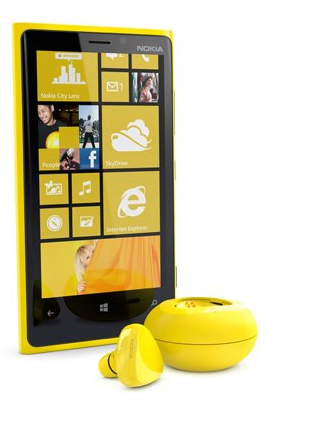
The scoop on the Nokia Lumia 920
Nokia will unveil its new flagship Windows Phone smartphone, the Nokia Lumia 920 at an event scheduled to be held on September 5th in conjunction with Microsoft. The smartphone has been designed to help Nokia maintain its place in the smartphone marketplace following the enormous challenge from the open-source Android-operated smartphone models that are flooding the…