
Category: Browsers
-
Is Firefox the new Internet Explorer for Mac users?
If you have been using Mac for as long as I have, you remember the days when they came with Microsoft’s Internet Explorer pre-installed. Even if it wasn’t installed, there was a time when it was available for download on the Mac. It was the must have-browser, even if you used a different one like…
-
Updates from Google I/O – What is New on Google Play and Chrome
Once again, the Google I/O event was an opportunity for Google to showcase what magic and innovation they have been cooking up in their labs. This year, they did not disappoint and came through as usual. Here is my take on what I loved about the new developer tools. 900 million Androids activations as…
-
Manage your to-do list on Android, iOS, and Chrome with Any.DO
Any.DO started as an Android-only solution to the public’s to-do list blues, and it did a damn good job of cheering us up. As a result, Any.DO became a both popular and critically acclaimed app by tech blogs everywhere. Personally, I’ve been a regular user of Any.DO for the past six months or so and…
-
How to navigate the web with your keyboard and gleeBox
I love keyboard shortcuts. I find using a mouse, menus and clicking to be an incredibly inefficient way of doing things. I spent a lot of time in college working with Adobe programs and using three and four character keyboard shortcuts to get things done faster. So when I found gleeBox and the amount of…
-
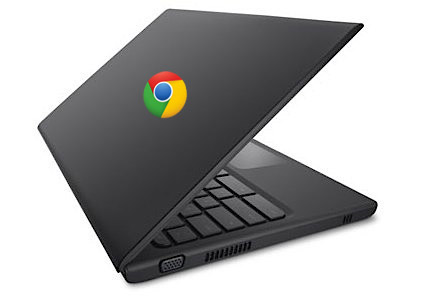
How to Reset Your Cr-48 Chromebook to its Default Factory Settings
Google’s Cr-48 Chromebook was distributed to beta testers in February 2011 and was public’s the first glimpse at a netbook running the Chrome OS. Since its release, the Cr-48 has undergone a number of updates, and on occasion, the software changes create a problem that can be hard to fix with the limited number of resources available…
-
A fond farewell to vertical tabs in Google Chrome
Tabbed browsing is nothing new, but I’ve always felt that something wasn’t quite right with how tabs were displayed. After an enthusiastic web browsing session, I’d often end up with a horizontal disaster of disorganized tabs. With computer displays getting wider and not taller, why were browsers cramming tabs into my precious vertical space? When…
-

Google Music Beta Soon To Meet Google Music Store
I’ve been using Google Music (beta) for several months now, and if you haven’t already, request an invitation for yourself. It didn’t take long for me to fall in love with the simple interface, the surprisingly full set of features, and the nearly unlimited cloud space…but reports of the upcoming Google Music Store make this…
-
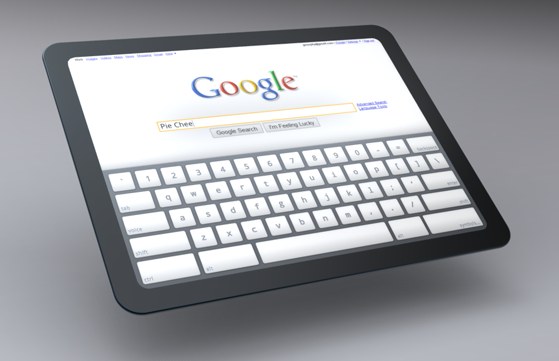
When Will We See A Chrome OS Tablet?
Some time ago, I became one of the lucky few selected to beta test the first Chromebook, the Cr-48. I didn’t expect a lot from a notebook that was nothing more than a browser, and it delivered exactly what it claimed — a fast-booting OS with a browser…and very little more. The newer Samsung and…
-
Windows Phone 7: Where’s my Browser?
With the release of the Mango update back in September, Microsoft undoubtedly improved Internet Explorer on their Windows Phone platform. WP7 now features a full-fledged version of IE9 designed specifically mobile devices, which is leaps and bounds ahead of the browser that was available before the update. However, many WP7 users like me would love…