
Category: Tools
-
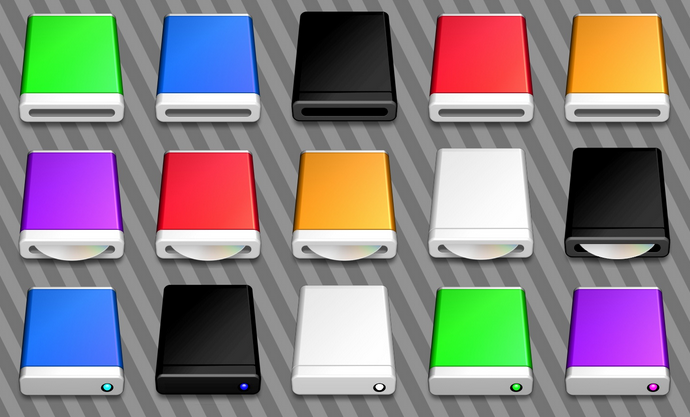
Should We Save the Optical Drive?
It’s nothing new to hear that Apple’s latest MacBook models come without a disc drive. They’re sleeker and thinner, and leaving out the “dated” technology allowed the company to pack in more features in less computer. They first did it with the MacBook Air in 2008, and with soaring sales, it’s likely the company didn’t…
-

New beverage technology can identify “spiked” drinks
It seems that each day a new piece of technology is being invented. From new electronics, to items that allow us to live “greener” lives, to those that seem practically unnecessary, creative types are bringing new items into the world. One recent invention, however, can actually help create a safer nightlife environment. By combining chemical…
-
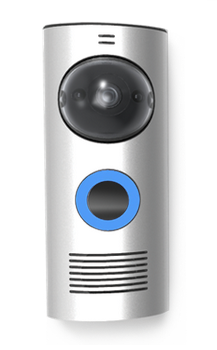
New doorbell lets you answer the door from anywhere
In the growing list of items to become “smart”, now comes the doorbell. Wi-fi enabled, video stream-able, and recreating the definition of privacy laws, this doorbell puts a completely new take on answering the front door. Known as the DoorBot, this new invention brings both safety and technology to the old fashioned knock at the…
-
Review: Disk Drill Pro for Mac
If you have a computer, you should also have a backup plan in place. Some people have a local backup, others have an offsite backup service, and others might have both or more. If you are on a Mac you might be using Time Machine as part of your backup plan. However, most backup plans,…
-
An introduction to developing software for Google Glass
Now that Google Glass is quickly becoming a mainstream product, have you wondered how you can develop for Glass? Well, you don’t have to wonder anymore because Google has made available the Google Mirror API to help developers build web-based services that interact with Google Glass. The developer guide gives a detailed explanation of how…
-
Prepare for the upcoming Google Reader shutdown with 5 alternatives
In an effort to consolidate its services, Google Reader shuts down on July 1, 2013. The rise and growth of Google+ has seen a bunch of shutdowns and we can expect to see more as the company looks to focus more on its key products. With Google Reader gone, it is time to look for…
-
Meet the new Google Maps
If you were at the Google I/O (or weren’t), you are probably aware of the major redesign changes that were launched for Google Maps. One thing you will quickly notice is the approach that Google has taken to provide a more intuitive interface that takes away the clutter and leaves you with a clean and…
-

Teaching kids how to code with programming games
It comes as no surprise that computer coding is a viable life skill. Computer programs, video games, and virtually everything else runs off the stuff, and knowing how to write said instructions can turn into a lucrative career. The problem, however, is that there just aren’t enough coders to keep up with the booming rate…
-
Custom mobile apps made easy with MobileSmith
The difference between those who want to make an app and those who have the skills to write the code for an app is huge – Facebook-numbers huge. And while anyone with a PayPal account can pay a developer to do the job for them, there’s far more efficient ways to create a custom app,…