
Tag: extensions
-
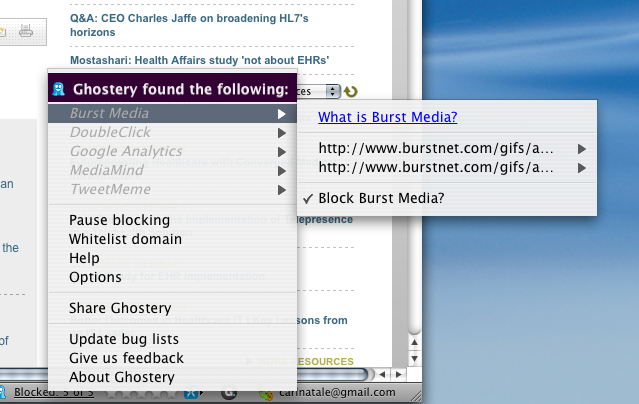
Privacy: Ghostery helps you elude online trackers in all browsers
Browser cookies are the black helicopters of the Internet age. Everyone seems to believe they’re only used for a secret, evil purpose. I guess it depends on your definition of evil. Companies use cookies to store information about Internet users. That information is coupled with other data collected via “tags, web bugs, pixels and beacons…
-

Write Blog Posts From Inside Your Browser with ScribeFire
That seems kind of obvious, doesn’t it? Blogging from insider your browser, I mean. That’s how most people do it — go to whatever blogging site they use, log in, and start typing. But that’s not necessarily the best way. And it’s not the most convenient, either, especially if you have more than one blog.…
-
How to Prevent Facebook and Google from Tracking You Online
These days it’s impossible to casually surf the web and avoid sites that use tools from Facebook, Twitter, Google, and others that make the experience more social and immersive. Still, with privacy issues at the forefront of technology news, it is worth noting that many of these social media tools make your e-life more convenient…
-
Score Great Deals on Woot.com with Firefox and Chrome Browser Extensions
If you don’t know what Woot! is, it’s a site sells a single item each day (usually at an exciting price). There are several different versions of the site – selling things like shirts, wine, and stuff for kids – but the original Woot! is the place where most of the action happens. Every once in…
-
Make Gmail into a Carnival with 0Boxer, Earn Rewards for Being Productive
Time to face hard facts: Checking your Gmail inbox is not the most enjoyable thing you do during the day. To be honest, it can be quite boring, really. Reading, replying, trashing, and repeat; it never ends. Even using Priority Inbox doesn’t solve the mediocrity email sorting creates. Wouldn’t it be great if you could actually get…
-
How to Fix Chrome’s Broken RSS Feed Handling
If you’ve ever tried opening an RSS feed in Google Chrome, you may have been dismayed to find that it does a horrible job of handling them. RSS feeds (like ours) are meant to provide an easy subscription method to a website, allowing you to view your favorite websites all in one place with an…
-
How to Install Adobe Reader Without Installing Adobe DLM (Download Manager) Browser Plugin
As a quick follow-up to my previous article about installing Flash player without installing Adobe’s DLM browser plugin, I’ll cover how to avoid installing this unnecessary intermediary software when installing Adobe Reader. If you didn’t read my previous article, here’s what you need to know: Adobe DLM is a “download manager” plugin that is installed…
-
How to Install Adobe Flash Player Without Installing Adobe’s DLM (Download Manager) Browser Plugin
Most of us use Adobe Flash, that’s simply a fact of the internet. YouTube, Hulu, Pandora, and dozens of other sites currently use Flash to provide you with interactive media and applications, and until HTML5 (hopefully) gives us a viable alternative, we’re stuck with it in many ways. Don’t get me wrong – I don’t…
-
Google Chrome: Quickly View Larger Facebook Pictures with Facebook Photo Zoom
Lately, I’ve realized how little I like clicking on things. When opening programs, I’d rather type a command with my keyboard than open my Start menu. If I need to open a file in a folder, I type the first few letters of its name and press the enter key. So when I’m on Facebook,…