
Tag: tips
-
Thinking about getting a standing desk? Here are some tips
You may have heard of a new trend called standing desks. They’re certainly not new by any means – Winston Churchhill used a standing desk, and so did Leonardo da Vinci and Ernest Hemmingway – but they’ve been gaining in popularity recently. It’s becoming more well known that sitting down all day is bad for…
-
Buy and rent videos on Apple TV? Use this tip to save a little cash
The Apple TV is great; I am a big fan and a happy owner, but until recently, I used to just buy a show or movie on my computer and then watch it on my Apple TV. However, when you buy or rent content on the second or third generation Apple TV, the device automatically…
-
Buy a smartphone with a “bad ESN” for cheap entertainment
When scouring Craigslist or eBay for a good deal on a used smartphone, a lot of people avoid listings that say “bad ESN.” In the simplest of terms, this means that the phone is banned from being activated with a carrier, so it wouldn’t be able to make calls or send and receive text messages.…
-
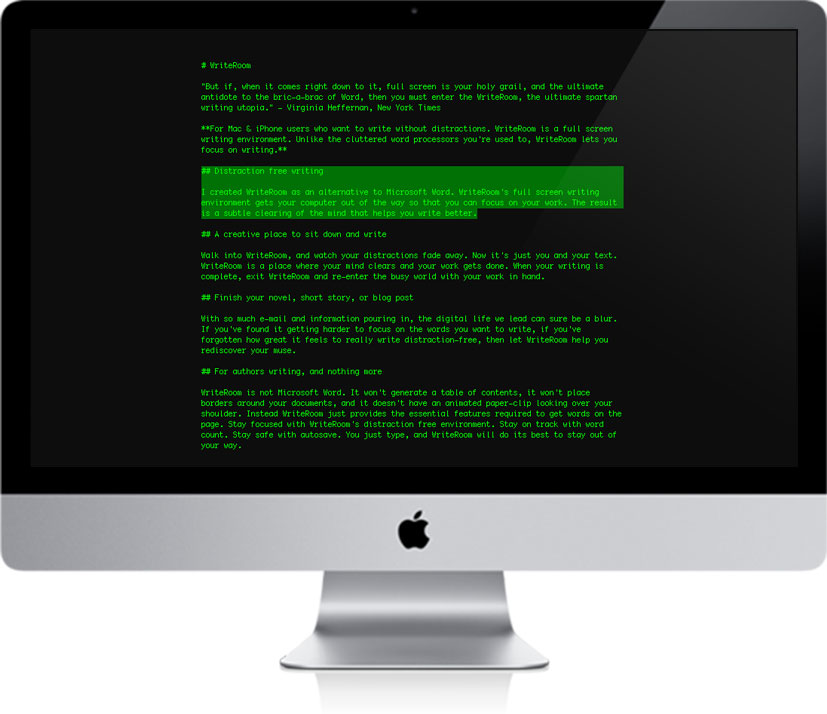
Tips and Tools for Better, Faster Writing
I’ve been writing here at Techerator for over a year, but only recently have I decided to take steps to improve my writing and time efficiency. You probably know the drill: sit down at your desk, check out Twitter, open your word editor, Tweet something, check out Facebook, decide on a title, Facebook about how…
-
5 Easy Ways To Geek Out Your Vehicle
A vehicle is one of the most important assets we have. It gets us to all the vital places that we need to go, like to work and to the grocery store. The time spent in our cars can really add up, so why not make those commutes more enjoyable by adding a few bells…
-

Stay connected & save: 6 tips for padding your bank account in the New Year
With the New Year just around the corner, saving money seems to be on the minds of many people. Being a graduate student, I am not among these people, because Academia pays huge sums of money for almost zero work. Let’s be serious, I’m broke, and I need to save some dough. New Years is…
-
3 Easy Ways to Improve Search in Windows 7
One of my favorite features of Windows 7 is the improved search. Windows Search is quickly available in the Start menu or in any open Explorer window. To improve search performance, Windows 7 uses a background indexing feature. Indexing pre-searches specified locations on your computer and compiles the results into the search index. When you…
-
Window 7 Tip: Enable the Preview Pane for Quick File Viewing
Navigating through your personal files can sometimes be a nightmare, and it can often times be easier to open individual documents to find exactly what you’re looking for. After awhile, you can find yourself with multiple open documents, but none of them were the one you were looking for. By default, you documents will appear…
-
Google Tip: How to Search Within a Specific Website, Domain, or News Source
I was recently asked if it was possible to do a search on Google but only look at results from a specific site. This is indeed possible, and is a great way to track down specific information when you know the general area it should be located. I frequently use this to search for information…
-
How to Fix Unwanted Amazon Recommendations Caused by Gifts or One-Time Purchases
I suffer from bad Amazon.com recommendations, and I’m not afraid to tell you about it. Sure, Amazon’s recommendations are one of the most useful features of the site, but because I once bought some engineering textbooks and a Jackie Moon Halloween costume, my recommendations couldn’t have been more inaccurate. It turns out there’s a pretty…