
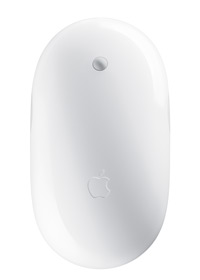
An issue that’s been popping up around the blogosphere recently is losing the Bluetooth connection with an Apple Wireless Mighty Mouse on Mac OS X. Essentially, the Bluetooth connection will be working fine and then – without warning – it will stop, leaving the user with no mouse support whatsoever. Here’s a simple way to reactivate the connection.
While this is by no means a comprehensive guide to permanently repairing the Mighty Mouse (talk to Apple for that), it will at least reconnect the Bluetooth device so it can be used.
- Once the mouse stops, CMD-Tab until Finder is your active application.
- Press FN-CTRL-F2 simultaneously to highlight the Apple logo on your menu bar. Release the three keys.
- Navigate down to ‘System Preferences’ with the keyboard’s arrow keys and hit Return.
- If the search box is not already highlighted, use your TAB key to select it.
- Type ‘Bluetooth’ and hit Return.
Oddly, once the Bluetooth menu is accessed, the Mighty Mouse should reconnect and work properly. I’ve had to use this process a few times recently, but I’m hoping Apple will be fixing the problem via Software Updates in the near future.
Are you having any trouble with your peripherals? Do you have other solutions? Let us know in the comments.
Leave a Reply
You must be logged in to post a comment.