
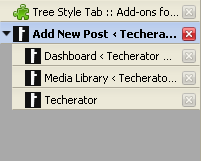
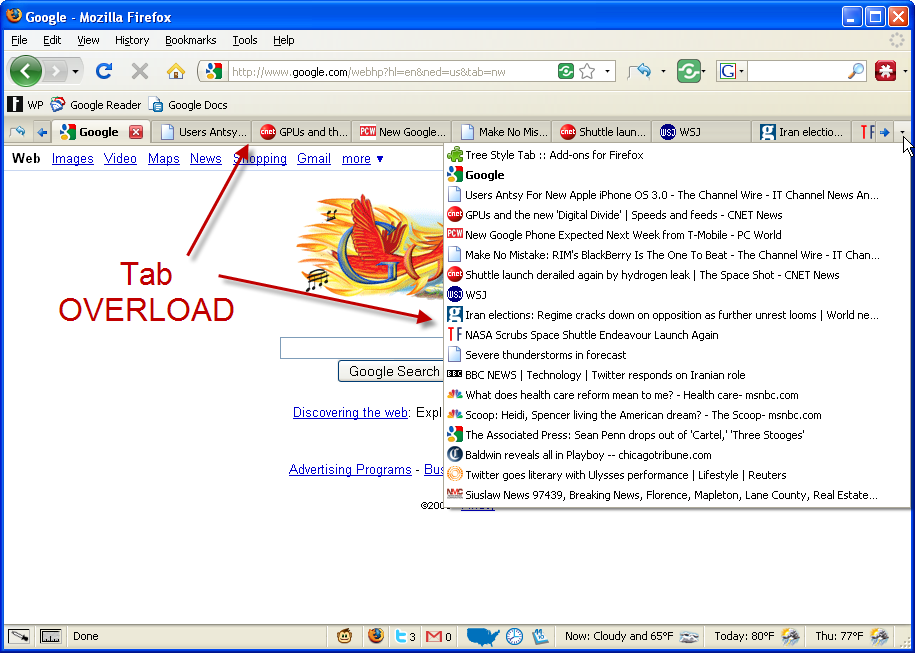
 Firefox only: Do you remember the first time you discovered tabbed browsing, and how wonderful it was? Well, for as much as tabbed browsing has revolutionized our browsing experience, tabs still seem to be clunky and inefficient at times (especially if you’re a power user).
The solution lies in Tree Style Tab, an add-on for Firefox that turns your space-limited horizontal tab bar into a vertical column with a tree-style hierarchy. If you have a widescreen monitor, switching to Tree Style Tab is a no-brainer because it makes better use of your extra horizontal space (instead of cramming into your already limited vertical space).
Not only does this add-on give you more room for tabs, it also neatly organizes them into a tree-style hierarchy. This means that when you open a link from a website in a new tab, it will organize that new tab as a child of the original website. This allows you to keep separate browsing sessions grouped together, and you can minimize groups to keep them out of the way. All tabs are interchangeable, so if you want to move a child to a different parent it can be done by dragging and dropping it somewhere else.

To add Tree Style Tab to your browser, head over to the add-on download page and click ‘Add to Firefox’. After a browser restart, new tabs will open up in a column on the left side of your browser (which can be adjusted to show up on any side).
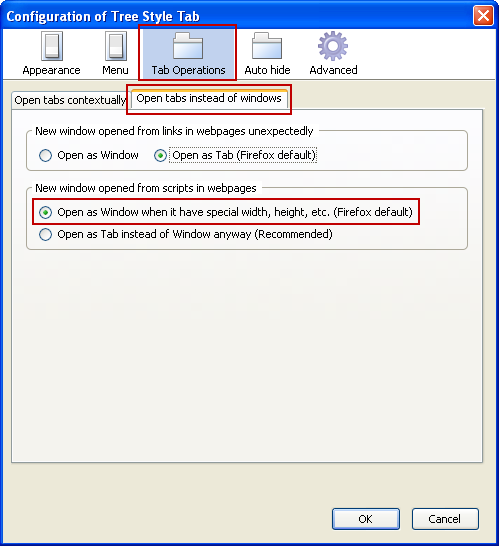
There are two small configuration changes I recommend making to Tree Style Tab. By default, Tree Style Tabs opens custom-sized script generated windows (like Gmail’s external composer) in a new tab instead of a separate window. To restore the original functionality, navigate to the Tree Style Tab options under Tools –> Add-ons in Firefox. Under the Tab Operations tab, open the ‘Open tabs instead of windows’ tab and check ‘Open as Window when it have [sic] special width, height, etc’.
 Tree Style Tab also minimizes unfocused tab groups by default, but I like to keep them open to jump around quickly (and I have plenty of space to keep them open). To change this, visit the Tree Style Tab options page again and click the Advanced tab. In here, uncheck ‘Collapse distractive subtrees automatically, when a tab is opened or focused’.
 Tree Style Tab allows for an incredible amount of customization, so spend some time in the options menu and find your perfect configuration.
Tree Style Tab is a free add-on for Mozilla Firefox. [Tree Style Tab | Add-ons for Firefox]
Leave a Reply
You must be logged in to post a comment.