
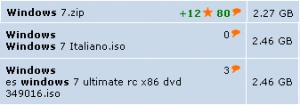
 With literally dozens of copies of the Windows 7 ISO floating around the internet (and countless more once the RTM is inevitably leaked) – it has become increasingly important to verify your copy is legitimate before installation. Verifying your ISO not only lets you know that you have the correct file, it also protects you from viruses or trojans that could be hidden in a illegitimate copy.
To verify your Windows 7 ISO, download the Windows 7 ISO Verifier (no installation required). You can then drag and drop your ISO onto the executable or double click it and browse to the ISO’s location. After a few minutes, you will be notified if your version is legitimate.
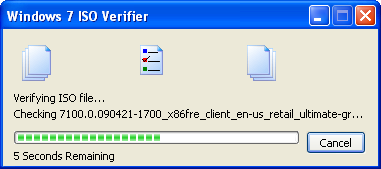 The application works by generating a hash from your ISO and comparing it to a list of known good hashes (which are stored online so you won’t have to redownload the application when the list updates).
The Windows 7 ISO Verifier was created by Long Zhen and Sven Groot and is a free download for Windows. [Download]
Leave a Reply
You must be logged in to post a comment.