
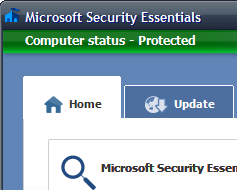
 Windows only: Microsoft has just released the public version of their free virus, spyware, and malware protection suite dubbed Microsoft Security Essentials (the successor to their lesser-known Live OneCare product which offered similar features). Security Essentials is a quick download and simple installation, giving users clear and easy-to-use indications whether your PC is secure or not.
Installing Security Essentials took approximately 60 seconds (not including updating the virus definition files) and my first Quick scan was completed in about 5 minutes. The Full Scan took significantly more time, but this will be dependent on your processor speed and the size of your hard drive. The software itself used around 60 MB of RAM while performing a virus scan, which is fairly light compared to other commercial anti-virus products.
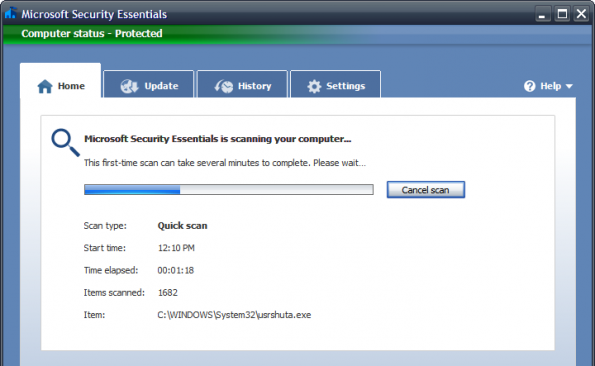
Security Essentials offers a simple interface, allowing users to select Quick scan, Full scan, or use custom settings from the Home screen. Updating the software can be easily done in the Update tab, and the software also utilizes your system’s Windows Update service to stay up-to-date.
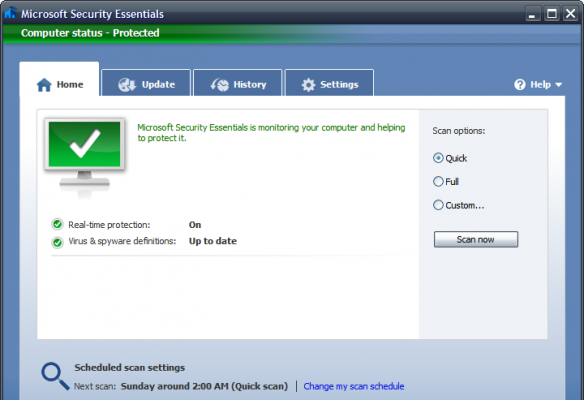
Since Security Essentials only offers virus, spyware, and malware protection, this software isn’t intended to compete with full-fledged commercial security suites. Security Essentials provides good basic protection for normal use and is a great contender in the free protection market.
Microsoft Security Essentials is a free download for Windows XP, Vista, and 7 (but you will have to validate your copy of Windows before installation). [Download]


Leave a Reply
You must be logged in to post a comment.