
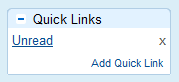
 If you’re like me, your inbox can get pretty cluttered with unread messages after being away from my computer for a day. Since I use multiple inboxes to split my Gmail inbox into several smaller inboxes, I can have unread messages all over the place on a particularly busy day.
In this guide, I’ll show you how to turn a handy Gmail search query into a dedicated Unread Messages button.
Step One: In Gmail, go to Gmail Labs and enable Quick Links.
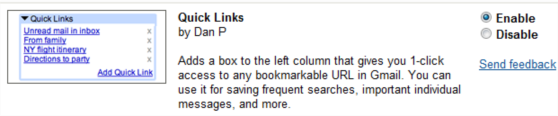 Be sure to click Save changes at the bottom of the page after you’ve clicked the Enable button.
Step Two: Type is:unread in the Gmail search bar and press enter. This search query will display any unread message in your inbox.
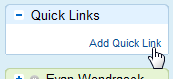
 Step 3: Locate the new Quick Links box on the left sidebar of Gmail. Click Add Quick Link then give it a title.
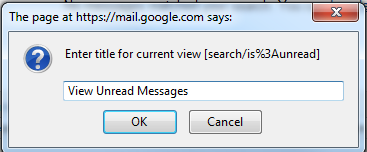 That’s it! You will now have a handy button to instantly view your unread messages. This same technique can be applied to any Gmail search query to quickly view your messages.
Leave a Reply
You must be logged in to post a comment.